
Dinner’s done, plates are still on the table, and you’re asking again: “Can someone help?” Your child may need a clearer job than “help.” You need that job somewhere besides your head.
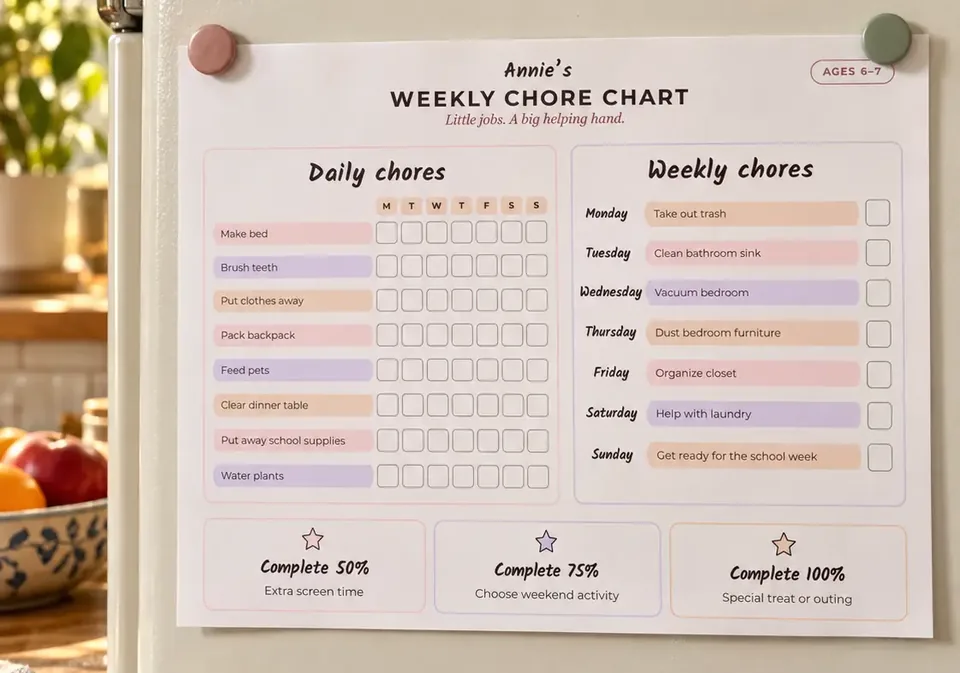
Our free chore chart generator gives you age-based starting ideas, then lets you change the chores and rewards before downloading your own weekly chart. No account needed.
Start with a few jobs they can learn
Enter your child’s name, choose an age group and select “Fill in chores.” Then tap any chore or reward to edit it. Keep the jobs that fit your child and clear the rest.
The age groups are starting points, not a test of what your child ought to do. Pick tasks you can show them, and help while they learn. A shorter chart leaves less to explain and check.
This is one small way to make room for shared family life. Everyone has a part, including the kids.
Example: a simple chart for a 7-year-old
Here’s an example you could make by choosing Ages 6–7, then trimming the suggested list:
| When | Job |
|---|---|
| After getting dressed | Pull up the covers and put the pillow back |
| After dinner | Put your plate and cup by the sink |
| Saturday | Put clean clothes in their drawers |
Use the daily rows for the first two jobs and Saturday’s weekly row for the laundry. Leave the other rows blank. If your family uses rewards, edit those too: choosing the weekend game is one option.
Show what “done” looks like. Clear a place setting together, then let your child try. Put the printed chart where they’ll see it. The list gives you something to point to; learning the job still takes practice.
Make it fit your actual week
Late practice night? Keep one small job. Missed yesterday? Start with today’s jobs instead of stacking up a backlog.
If you’re still walking through every step, shrink the task and teach it together again. That’s part of handing over responsibility, rather than adding another checklist for you to manage.
Create your child’s chore chart
Download the finished chart as a PNG image to print. Your edits stay saved in that browser, so you can come back and adjust the chart as your child learns.